Screen Fatigue in Remote Job Hunts: Setting Physical Boundaries for Video Interviews
Ads
When hiring processes take place entirely over video, candidates often face three or four back-to-back panels. This schedule brings on severe screen fatigue in remote job hunts, leading to dry eyes, poor posture, and flat vocal delivery. Unlike an in-person room where your gaze moves naturally, video calls fix your eyes on a lit screen two feet away.
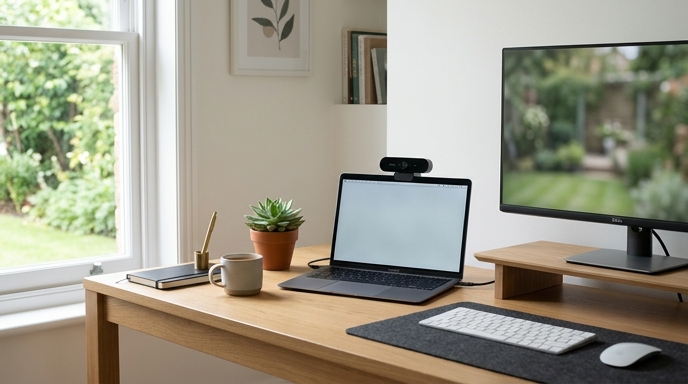
Managing this physical strain takes practical adjustments to your desk setup. Adjusting optical distance, softening glare, and turning off self-view help you maintain composure through multi-hour virtual panels.
The Ergonomic Baseline: Camera Height and Self-View
The fastest route to video fatigue is the mirror effect: checking your own expression in the thumbnail box throughout the conversation.
First, raise your camera to eye level using a stand or a stack of books. Looking directly forward or slightly up opens your posture and helps your voice carry naturally. Second, turn on hide self-view as soon as your framing looks right. Looking only at your interviewer removes the distraction of watching yourself talk.
Balancing Lumens to Lower Cognitive Load
Harsh lighting and heavy screen contrast force your pupils to adjust continuously. Jumping between bright documents and dark video windows tires your eyes quickly.
Implementing the 20-20-20 Micro-Reset
Between interview rounds or while waiting for panel members to join, your eyes need a physical break. Staring at close objects continuously strains the ciliary muscles.
Follow the 20-20-20 guideline: every 20 minutes, or as soon as a call finishes, look at an object 20 feet away for 20 seconds. Stand up, stretch your shoulders, and drink water. Leaving your desk for five minutes releases physical tension before the next conversation begins.
Frequently Asked Questions
Why do video interviews feel more tiring than in-person interviews?
Video eliminates subtle body language, forcing you to focus harder on vocal inflections and facial shifts. The unvarying stare into a camera lens is also more fatiguing than natural in-person conversation.
Where should I position my notes so I do not look distracted?
Keep a small text document with your key metrics directly below your webcam lens. That way, glancing at your notes looks like eye contact rather than looking away at a secondary monitor or notebook.
Should I wear blue-light glasses for interviews?
If they ease eye strain during long screen days, wear them. Just check that the lenses do not reflect bright purple or green glare into the camera, which can hide your eyes from the interviewer.