Weekly Resume Version Pruning: Maintaining File Hygiene and Master Documents
Ads
A long job search creates digital mess quickly. Tailoring resumes for specific roles leaves your downloads folder full of unversioned files, cover letter drafts, and confusing exports that make finding the right document risky.
Submitting a file with old numbers, draft notes, or a sloppy file name looks careless. Setting up a weekly resume version pruning habit ensures you always send the right file.
The Two-Tier Directory Architecture
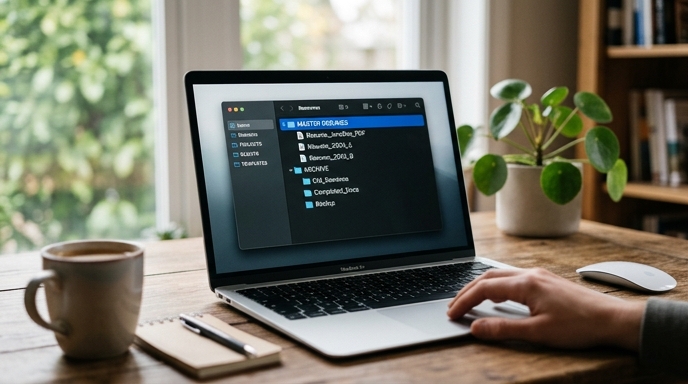
Create a simple folder structure on your drive. Stop saving resumes directly to your desktop or downloads folder.
The Friday 20-Minute Pruning Habit
Set a calendar reminder for 4:30 PM every Friday to organize your application folders before closing down for the weekend.
Using AI to Audit Your Master Document
Use your pruning session to review new bullet points written during the week. If you wrote an effective description of a project for a specific role, add it to your master document.
Run this prompt to pull your best wording into your primary file:
I am updating my master career inventory. Here is my current master entry for [Company Name] and a tailored bullet point I wrote this week for a specific application. Compare both. If the new bullet point improves clarity or conciseness without inventing facts, integrate it cleanly into the master record. Output the revised master entry only. Current master: [Paste text] Tailored bullet: [Paste text]
Keeping an updated master file means you never have to draft accomplishments from scratch when a new opening appears.
Frequently Asked Questions
Should I delete tailored resumes if I receive a rejection?
Keep them for a while. Move them to an Archive_Rejected folder at the end of the month. Looking back at rejected versions helps you see if certain resume formats or project angles underperformed across your applications.
What is the safest file format for submitted resumes?
Export standard, text-selectable PDFs directly from your word processor. Avoid scanned images or complex multi-column graphics that can break parsing software.
Why not just use cloud storage versions instead of local folders?
Cloud storage works fine if you follow the same organization rules. The problem is having loose, unorganized versions scattered across different drives and folders.