LinkedIn Open to Work Visibility: Recruiter Only vs Public Badge
Ads
When you update your LinkedIn Open to Work visibility, LinkedIn changes how its search index handles your profile. Choosing between showing your status only to recruiters or showing the public green badge affects your inbound inquiry volume and whether people at your current company can see you are looking.
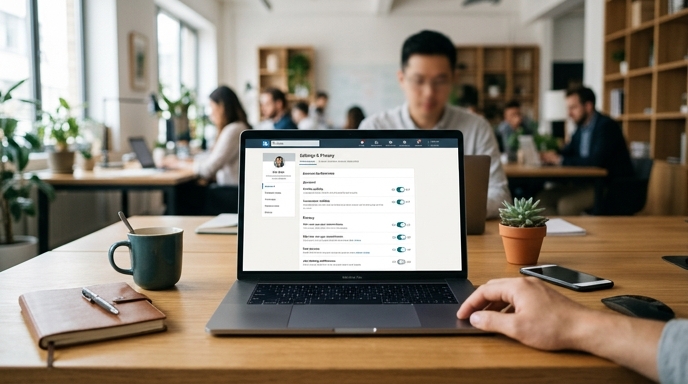
Understanding how the platform separates these two options helps you appear in candidate searches without tipping off your current employer.
How the Recruiter Only Flag Filters Employer Access
Choosing the recruiter-restricted signal tags your candidate record so it is visible only inside paid LinkedIn Recruiter accounts. Standard users, personal connections, and public web searches see no change to your headline or photo.
To prevent current coworkers from seeing the flag, LinkedIn excludes recruiters whose accounts share the company page listed in your current experience section. If a recruiter has a seat linked to the same employer, the platform hides your profile from their search results and talent projects.
This filter has clear blind spots:
The Algorithmic Impact of the Public Green Badge
Selecting the public option adds the green frame to your photo and changes how you appear in discovery feeds. This signal puts your profile in front of hiring managers who do not use enterprise recruiting tools.
Many early-stage startups, boutique consultancies, and independent founders avoid enterprise Recruiter seats due to cost. They find candidates through standard searches, boolean queries, and feed activity. The public badge alerts these operators directly in post comments and connection feeds.
The public setting also places your profile in LinkedIn's member directories. If you are unemployed, on leave, or open about your search, this option increases message volume from smaller teams and direct hiring managers.
How to Audit and Adjust Your Search Settings Today
Before changing your status, verify that your account data correctly identifies your current workplace:
Frequently Asked Questions
Can internal recruiters see me if they use an external search firm?
Yes. Recruiters at external agencies use their own enterprise accounts. Your profile appears in their searches unless they manually check their findings against your company's internal staff list.
Does turning on Open to Work alert my connections?
No. LinkedIn does not send an update or notification to your network when you toggle either setting. However, the public setting adds the green frame immediately, which anyone viewing your profile or posts will see.
Can I restrict Open to Work to specific locations?
Yes. In the job preferences menu, you can enter up to five target job titles and specify geographic regions, including remote-only settings. Recruiters searching other regions will not see you in their filtered results.