NVIDIA Deep Learning Institute: How to Audit Free Courses and Verify Access
Ads
For roles in GPU computing, machine learning operations, and computer vision, training from hardware manufacturers carries weight. The NVIDIA Deep Learning Institute (DLI) provides technical courses, but its catalog structure can be difficult to navigate.
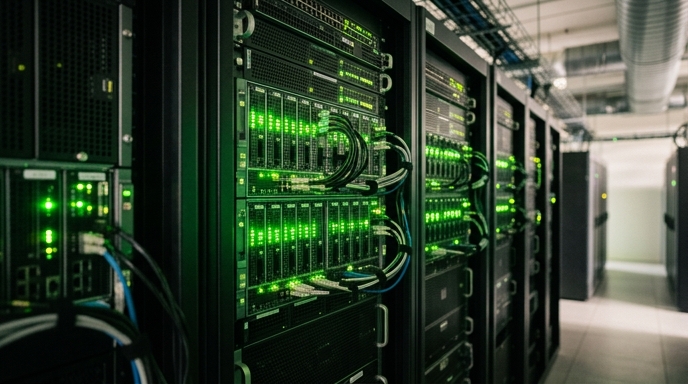
Learners often confuse paid, proctored certificate workshops with free self-paced introductory courses. Understanding how the NVIDIA Deep Learning Institute structures its courses lets you access hands-on GPU environments without unexpected fees.
Understanding the NVIDIA DLI catalog architecture
The NVIDIA DLI catalog divides into two formats: instructor-led workshops and self-paced online courses. Instructor-led workshops require paid registration or enterprise vouchers and grant an official Certificate of Competency upon passing a coding assessment.
Self-paced courses are designed for individual study. While some advanced self-paced tracks require fees for cloud compute time, NVIDIA keeps several foundational modules free.
These free self-paced courses cover data science pipelines, introductory deep learning frameworks, Omniverse development, and basic CUDA programming.
Accessing cloud GPU lab environments
The main advantage of NVIDIA DLI training is direct access to cloud GPU workstations. Each course provisions a hosted JupyterLab environment running on NVIDIA enterprise hardware.
Paid courses allocate a fixed block of cloud computing hours, typically four to eight hours. Free courses provide short-term lab instances that let you run training scripts and review code in your browser.
Lab runtimes are limited. Free environments shut down idle sessions to conserve resources, so download your notebooks and scripts locally before ending your work.
Documenting DLI learning on technical resumes
Be clear about what you completed. If you finish a free self-paced course that does not issue an official Certificate of Competency, do not list it as a certified credential.
Instead, list the coursework under 'Hands-On Technical Training'. Highlight the specific frameworks and tools you used, such as PyTorch, TensorRT, or CUDA profiling tools.
Push your completed code to a public GitHub repository. Showing that you can configure an inference pipeline or manage memory transfers on actual GPU hardware provides clear proof of your work.
Step-by-step catalog inspection and enrollment
Frequently asked questions
Do free NVIDIA DLI courses award a Certificate of Competency?
Generally, no. Certificates of Competency are reserved for paid workshops and select advanced courses with graded assessments. Free courses provide completion records inside your portal account.
Do I need an NVIDIA GPU installed on my local PC to take these courses?
No. All code execution and training exercises run inside cloud GPU environments accessed through your browser.
Can I retake exercises if my cloud lab session expires?
Yes. You can restart self-paced courses, though any unsaved progress or custom files in the temporary container will be lost.