How to Build a Technical Portfolio Readme Generator with Markdown Constraints
Ads
When technical recruiters or engineering managers look at your GitHub profile, they rarely pull branches, set up environment variables, and build your code locally. They usually spend about 30 seconds reading your project's README.md.
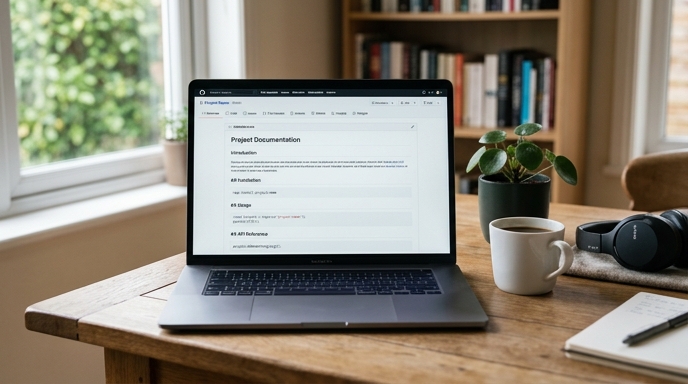
If a repository contains only raw code and a short setup note, reviewers will move to the next candidate. A structured portfolio readme generator prompt converts your code notes into clear documentation that explains your engineering decisions.
The Core Anatomy of a Recruiter-Friendly README
Engineering leads read documentation to see how you explain technical ideas. A strong project README covers three primary points:
Setting Markdown Output Constraints
Without formatting rules, LLMs tend to generate long paragraphs that people skip. To keep the README clear and scannable, apply strict boundaries:
The Structured Portfolio README Prompt
Paste this prompt into your chat tool, placing your main entry file (such as app.py, main.go, or index.ts) and project notes into the input block.
You are a Senior Technical Writer and Open Source Maintainer. Your task is to generate a comprehensive, professional README.md for a software project.

Required Sections (Use standard GitHub-flavored Markdown):
1. # Project Title - A concise, descriptive title followed by a 2-sentence summary of the operational problem it solves.
2. ## Architecture Overview - A text-based or Mermaid.js diagram illustrating data flow between components.
3. ## Key Technical Decisions - Exactly three bullet points structured as: [Decision]: [Why chosen over alternative].
4. ## Tech Stack - A Markdown table with columns: Category, Tool/Library, Purpose.
5. ## Quickstart - Clear CLI instructions (git clone, env setup, install, test run).

Rules:
- Never invent external dependencies not indicated in the provided code.
- Do not include marketing buzzwords or claim the project is 'revolutionary'.
- Keep instructions minimal, reproducible, and accurate.

Project Code & Notes:
[Paste your source files or architecture notes here]
Auditing the Generated Documentation
Review the Quickstart commands before committing the file to your repository.
Open a terminal, execute the commands the model output, and confirm that the build and tests succeed. Broken setup instructions in a public repository show a lack of care.
FAQ
Can I include Mermaid diagrams on GitHub?
Yes. GitHub renders Mermaid syntax inside code blocks labeled with ```mermaid directly in the web interface.
What if my project doesn't have automated tests?
Do not let the model generate a placeholder test command like npm test or pytest if those tests do not exist. Remove that step until you write tests for the repository.
Should I include links to live demos?
Yes. If you deployed the application, place a ## Live Demo link at the top of the README right above the architecture section.